Chat with strangers, free and instantly
Tap Start chatting and you're talking to a new person in seconds. Video, voice-only or typing alongside the call: pick what feels comfortable.

Free · No sign-up needed · Works in your browser and on Android
🔥 Busiest every night 21:00–22:00 CET – come then for the quickest match.
Adults only. OMG Chat is for people aged 18 and over. Nudity, sexual content, harassment and anything involving minors are not allowed. You can block or report anyone in one tap. Read the Community Guidelines.
How to have a good chat with a stranger
Open with something specific. “Hi, where are you calling from?” or a comment about an interest tag you share works better than a plain “hi”. Interest tags are shown when you match, so use them.
Use the language tools. If you don't share a language, type: messages are translated automatically both ways. Many people use OMG Chat to practise English or another language.
Skip freely, block quickly. Tapping Next is normal and nobody is offended. If someone is rude or breaks the rules, block or report them in one tap; they can never be matched with you again.
Keep personal details private. Don't share your address, school, workplace or social handles with someone you just met. Add people as in-app friends instead, so you can call them again without giving out your number.
How to start in under a minute. Open omgwechat.com in Chrome, Safari, Edge or Firefox, on a phone or a computer. Confirm you're 18 or older, choose Male, Female or Other, and the first tap starts searching for a random person. No email, phone number or download. On a laptop you can keep your hands on the keyboard: Space or Enter starts or skips to the next person, Esc stops. If you tapped our link inside Instagram, TikTok, Snapchat or Messenger, open it in your real browser first: in-app browsers usually block the camera.
Video, voice or text: pick your comfort level. Want to talk without showing your face? Switch on voice-only mode and the other person sees an avatar instead of your camera. Shy about speaking? Type in the chat box during the call; messages are translated into the other person's language automatically, so a chat with someone from Brazil, Turkey or India works even if you don't share a language.
What to say in the first ten seconds. Most random chats end fast because nobody says anything. Smile, say hi, and ask one easy question: “Where are you calling from?”, “What time is it there?” or something about an interest tag you share. When the call starts, OMG Chat shows a few icebreakers you can send with one tap. For more ideas, read our conversation starters and video chat etiquette guides.
When to come for the most people. OMG Chat is a small, growing community, so timing matters. The busiest hour is 21:00–22:00 CET every night, which is 8–9 pm in London, 3–4 pm in New York and Toronto, 1:30–2:30 am in India, 4–5 am in Manila and 7–8 am in Sydney. At other times you may wait a little: turn on alerts and we'll tell you as soon as someone starts searching.
Keep it safe and anonymous. Use a first name or nickname, keep your face out of view if you prefer, and never share your address, school, workplace or social handles with a stranger. Never send money or gift cards, and leave any call that pressures you to do something on camera; see our guide to sextortion and scams. One tap on the shield blocks or reports someone, and a blocked person can never be matched with you again.
OMG Chat in brief
OMG Chat (omgwechat.com) is a free random video chat website and Android app for adults, and an independent Omegle alternative. One tap pairs you with a real stranger on a one-to-one video call, and Next takes you to someone new instantly. There is no sign-up (you can start as a guest) and nothing to install. Features: text chat next to the video with automatic translation, a voice-only mode with the camera off, interest matching, friends and direct calls, and optional gender and country filters with OMG Premium. Safety: adults only; nudity, sexual content and harassment are banned; block or report anyone in one tap; reports are reviewed and rule-breakers are banned; calls are peer-to-peer, encrypted and never recorded; and there are no bots or fake users.
Features
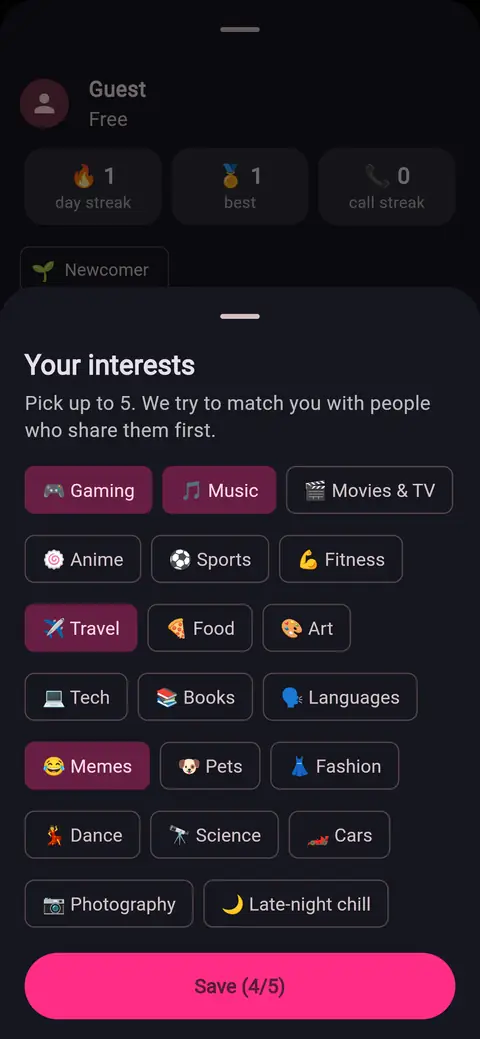
Interest tags
Pick up to 5 interests (gaming, music, travel, anime…). We try people who share them first, then anyone after a few seconds.
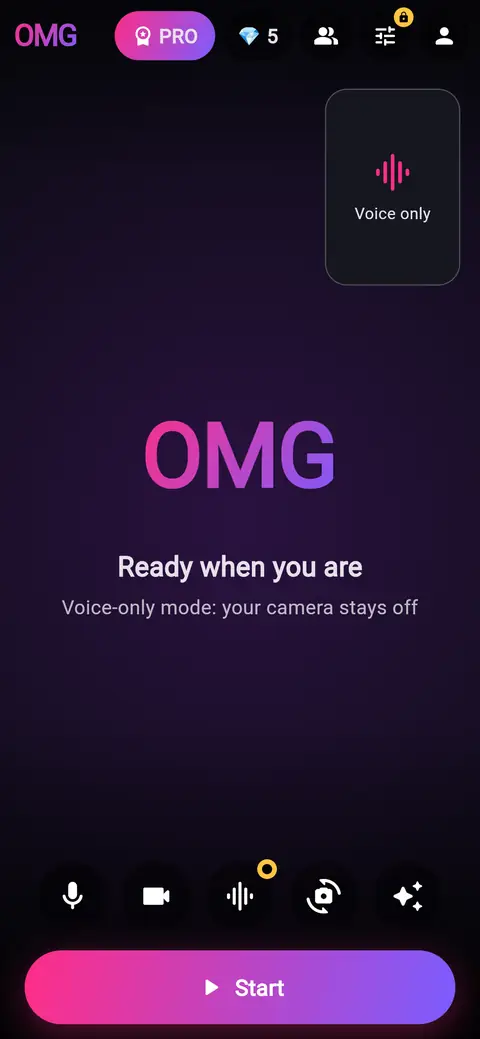
Voice-only mode
Not in the mood for camera? Turn video off and talk with voice only; voice-only users are matched with each other first.
Text chat with auto-translate
Type during the call. Messages are translated into your language automatically, so you can talk to people anywhere.
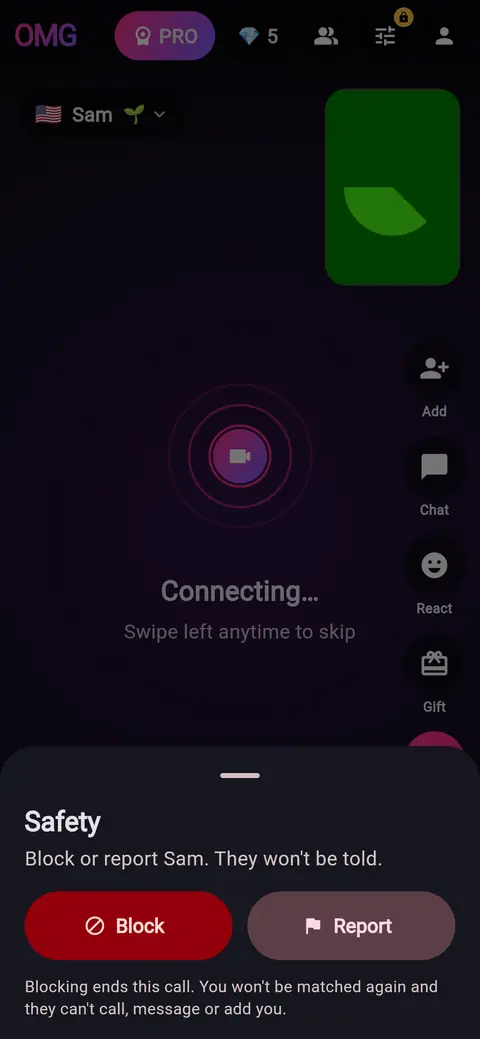
Block & report in one tap
Tap the shield to block or report. Blocked people can never be matched with you again, call you or message you.
Camera switching
Flip between front and back cameras, or choose any connected webcam on desktop.
Free to use
Random video chat is free, with no sign-up needed (guest mode). Optional Premium adds match filters and removes ads.
Screenshots
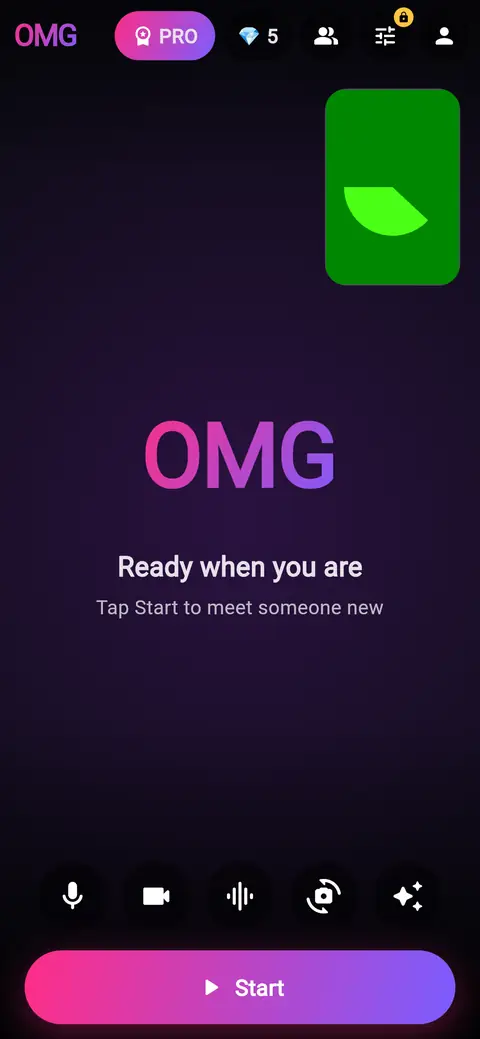
Get started in 3 steps
- Open omgwechat.com or the Android app.
- Tap Male, Female or Other. That one tap confirms you're an adult and starts your first search: no sign-up, no forms, and your country is detected automatically.
- Allow your camera when the browser asks. Say hi, or tap Next to meet someone else. Interests are optional, in Settings.
Safety and privacy
Block & report
Blocked people can't be matched with you, call you, message you or send friend requests. They aren't told. Reports are reviewed and serious offenders are banned.
No recordings
Calls go directly between devices and are encrypted. We don't record or store your video or audio.
Your choice of camera
Turn your camera off any time, or use voice-only mode. Only share what you're comfortable with.
More detail in our Privacy Policy and Terms.
FAQ
Is it free to chat with strangers on OMG Chat?
Yes. Matching, video, voice-only, text chat and blocking are free. Premium is optional.
What's the best time to find someone?
Most people search every night between 21:00 and 22:00 CET. At other times you may wait a little; turn on alerts and we'll tell you when someone starts searching.
Can I chat with strangers without signing up?
Yes. Confirm you're an adult, pick Male, Female or Other and tap once; you're in as a guest. You can add a Google or email login later if you want to keep friends and Premium across devices.
Can I chat with strangers without showing my face?
Yes. Turn on voice-only mode before or during a call and the other person sees an avatar instead of your camera. You can also just type in the call chat.
Does it work on my phone?
Yes. It runs in Chrome or Safari on Android and iPhone, with no app needed. There's also an Android app on Google Play, and you can add the site to your home screen.
Can I talk to strangers from other countries?
Yes. Matching is worldwide by default, and text messages in the call are translated automatically into the other person's language.
What if someone is rude or inappropriate?
Tap Next to leave instantly, then block or report them from the shield icon. Blocked people can't be matched with you, call you or message you again. Reports are reviewed and serious offenders are banned.
Is it only for adults?
Yes. OMG Chat is for people aged 18 and over. Nudity, sexual content, harassment and anything involving minors are banned.